

Photo selection and client panel
Clients pick their photos in the panel and report payments
DetailsPrepare the proposal and turn it into a contract once the client accepts. The event lands on the calendar; you track team, equipment and payments on the same card.
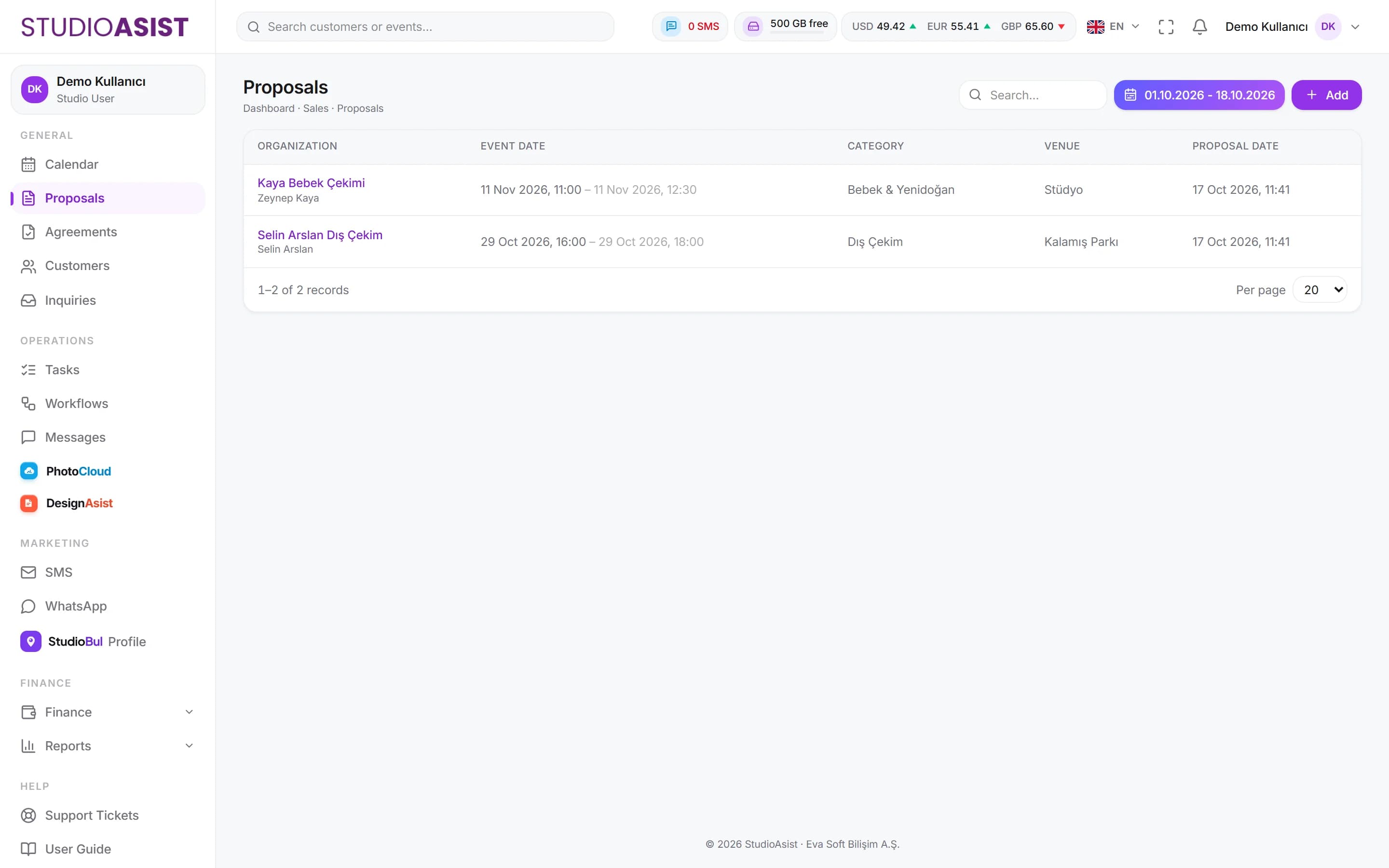
Build proposals from service and product lines; set the price and notes.
The client's decision is recorded; turn the accepted proposal into a contract in one click.
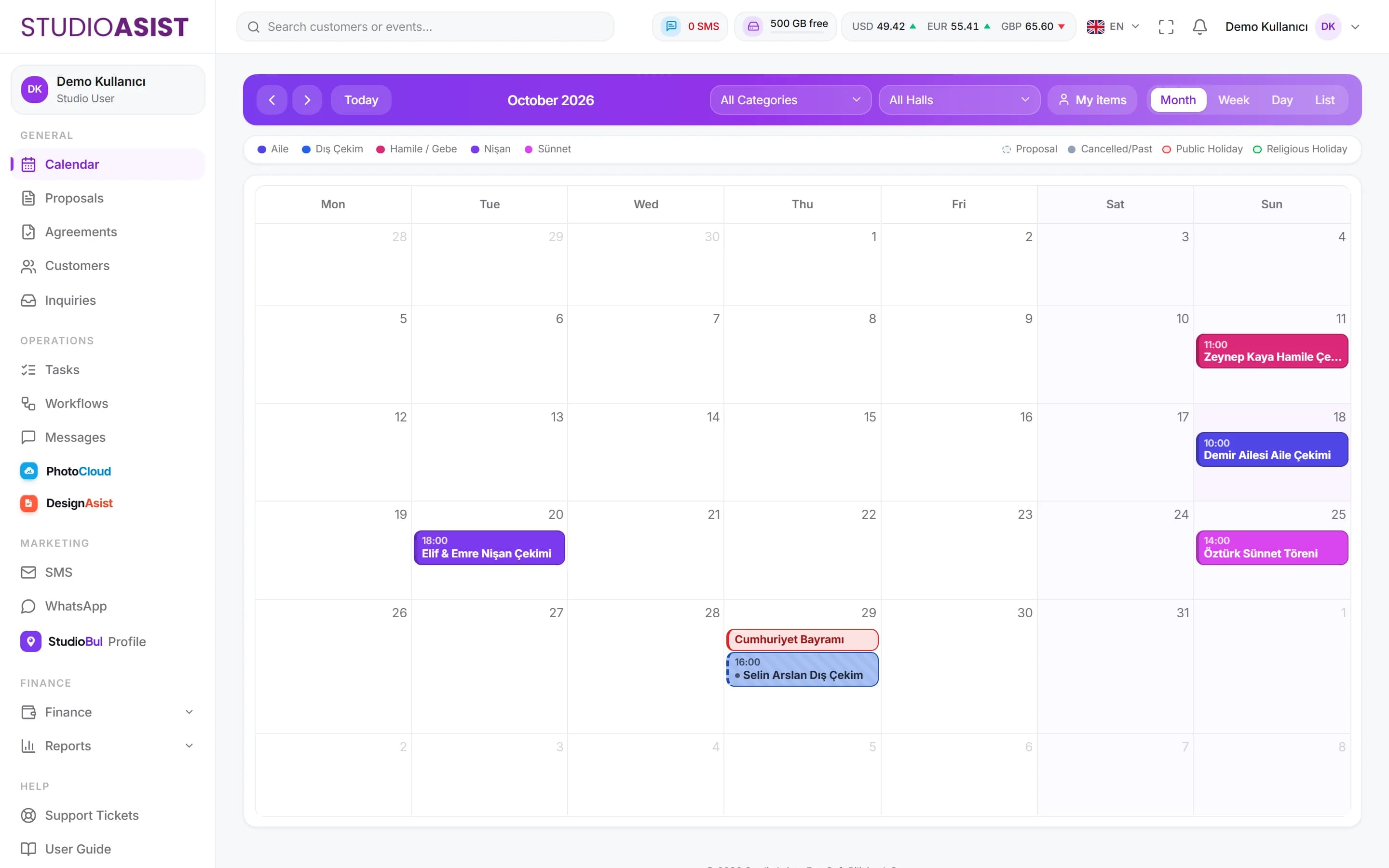
See proposals and contracts on the calendar; public holidays are marked, filter by category and venue.
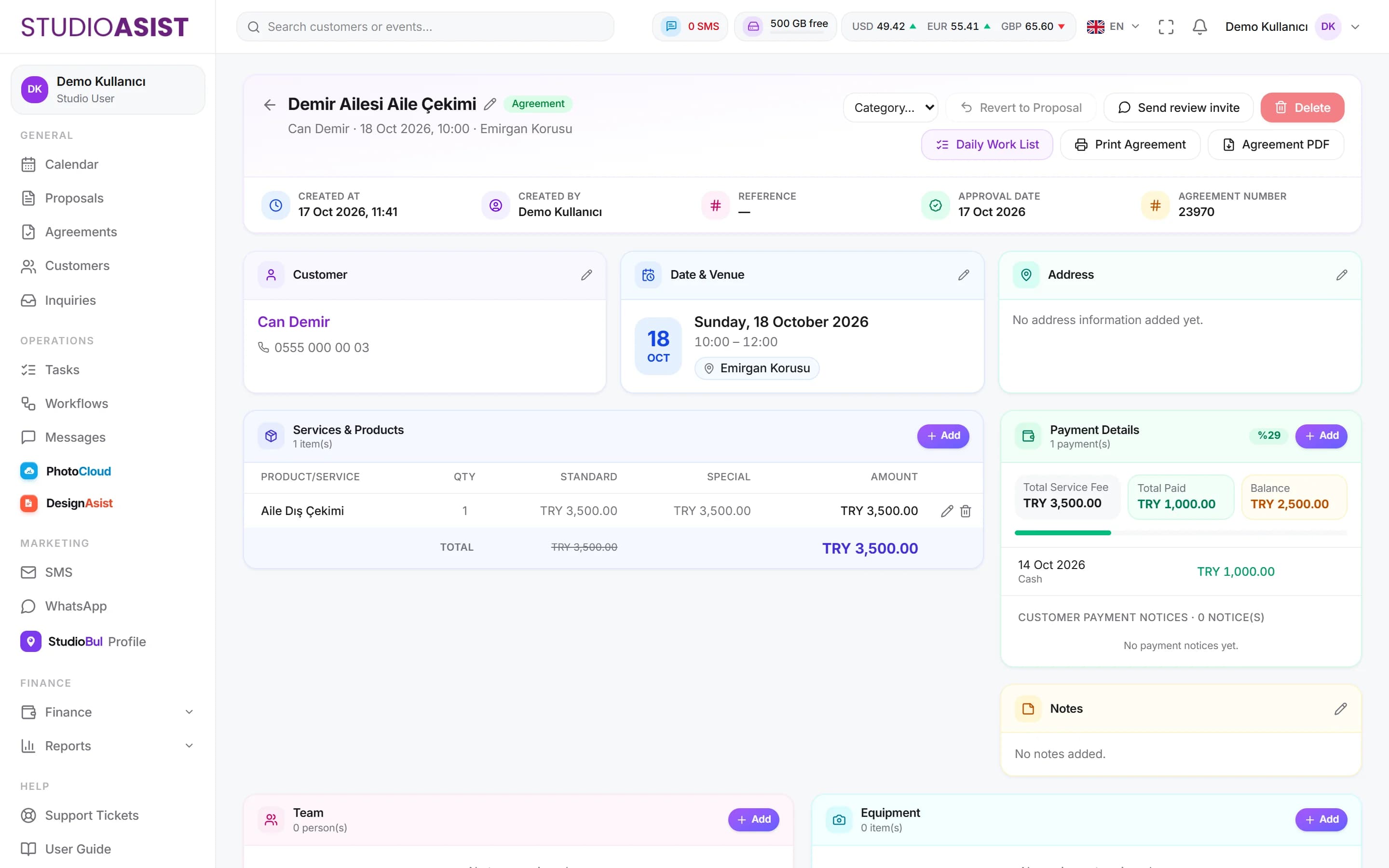
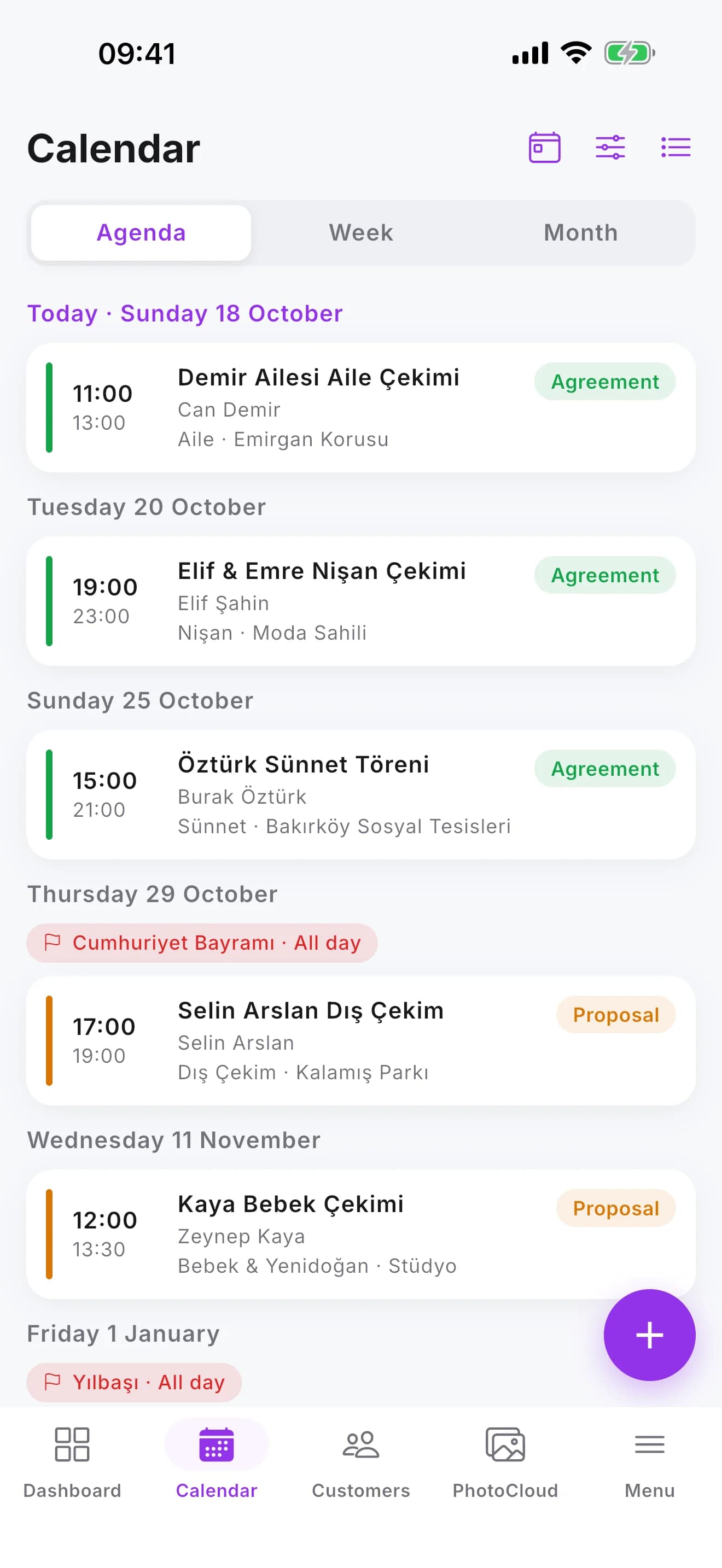
Assign team and equipment to each event; the team sees their own jobs on their phones.
Event PDF and payment receipt are ready; get a job list report for any date range.
Deposits and balances live on the event; an SMS reminder goes out when a payment is due.
Pick the client, add services and products, set the price. Pending and settled proposals are listed separately.
When the client accepts, the proposal becomes a contract. Services, payments, team and equipment sit together on the event card.
The event lands on the calendar; your team sees their job and shoot time in the mobile app.
Open the venue on the map, call the client, record the payment, upload photos on location.
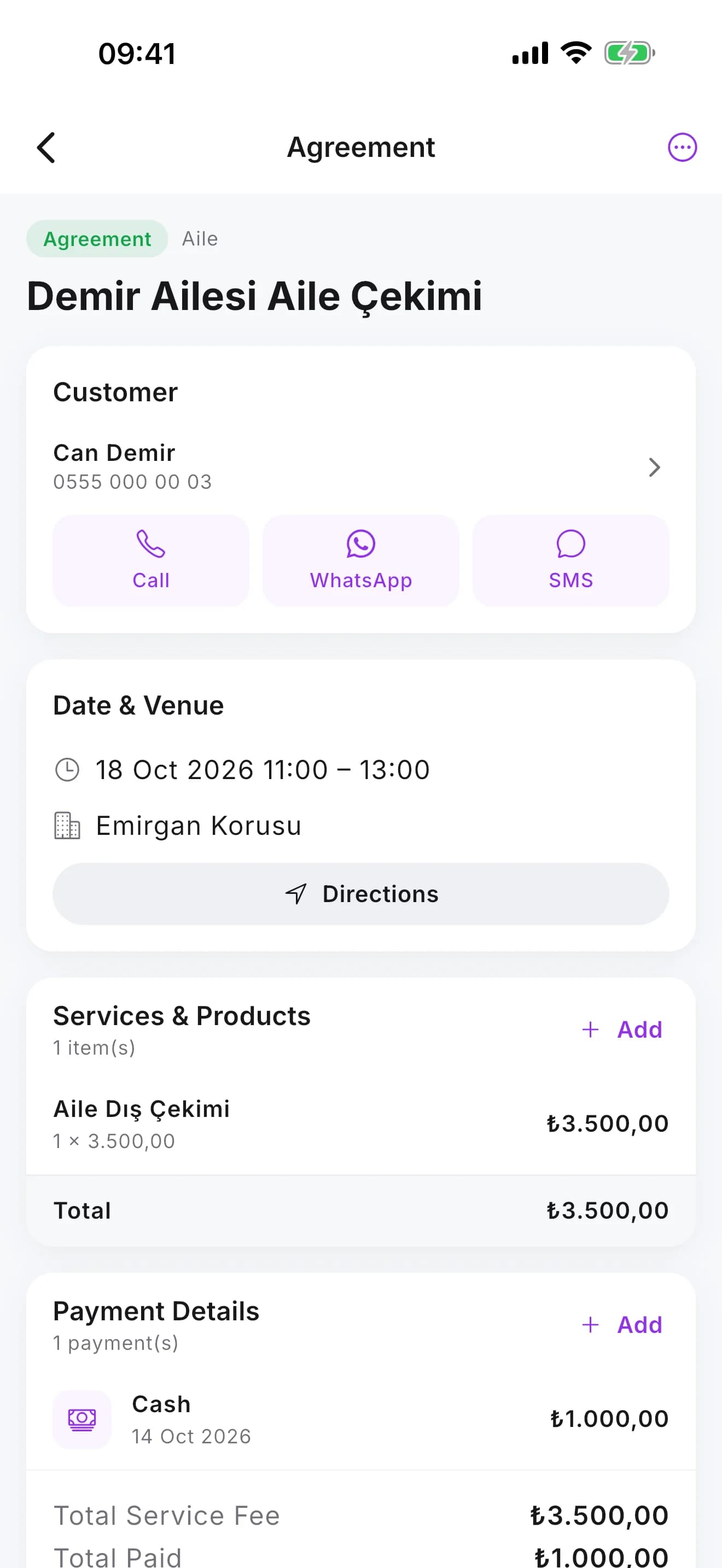
A proposal is the price offer you give the client. When the client accepts, you turn it into a contract; the event is confirmed and payments are tied to that record.
Yes. If you have permission, you can turn a contract back into a proposal from the event details.
Team members sign in with their own users on the web panel or the iOS and Android app, and see the calendar and their assigned jobs according to their permissions.
Yes. Public holidays are marked on the calendar, so you see them while planning shoots.
Open your account in a few minutes and add your first event to the calendar today.